Cardo
Cardo
Timeline:
TL;DR: Cardo is an experimental desktop of live pieces. I started it because I kept wanting to use one small part of an app without keeping the whole window around. Cardo lets me pull that part onto a desktop, where it stays connected to the app and can take different forms when I need it.
Here is a five-minute demo:
Why I started it
I have tried a lot of desktop environments and window managers: Windows, macOS, KDE Plasma, GNOME, Xfce, dwm, i3, XMonad, EXWM (yes, really), AwesomeWM, and Sway. Right now I use KDE Plasma with Krohnkite.
But I still feel like they are far from the desktop environment I have in mind. Sometimes I keep a whole window around even though I only care about one small part of it. Making the window smaller does not help much; everything inside just gets cluttered.
I have a similar problem with things that keep running. If I am waiting for a build or backup, I often leave a Terminal open just to watch its progress. I need the full log when something goes wrong, while a one-line status is enough as I wait. Yakuake solves part of this by making the Terminal easy to hide and bring back. I started wondering whether the Terminal itself could change into the form I need.
Imagine this: isn't it great that I could just "pull" the useful part out of an app window? The important thing is that it would still know where it came from, so it could update and keep working. I could also assemble these pieces into something new and reuse it later.
This is why I created Cardo.
With Cardo, I want to explore two main questions:
- What kind of runtime abstraction and interaction model would let a piece keep its identity, its connection to the source, and what it can do while its form changes?
- What would a desktop built around these pieces look and feel like?
- How could I pull pieces from different apps into one workspace?
- How should the desktop visually arrange these pieces?
- How should users interact with them?
Let me show you what I have built so far.
Compaction forms
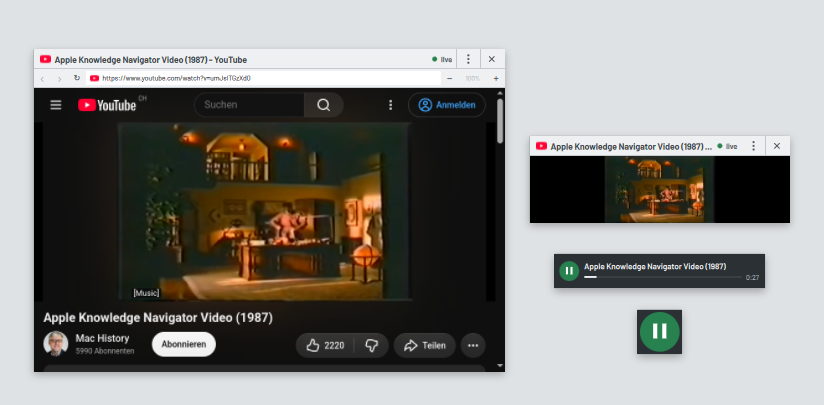
A video can start as a full YouTube page. Later I can keep only the player, make it a mini-player, or leave a play button in the corner. Whichever shape I use, it still controls the same video.
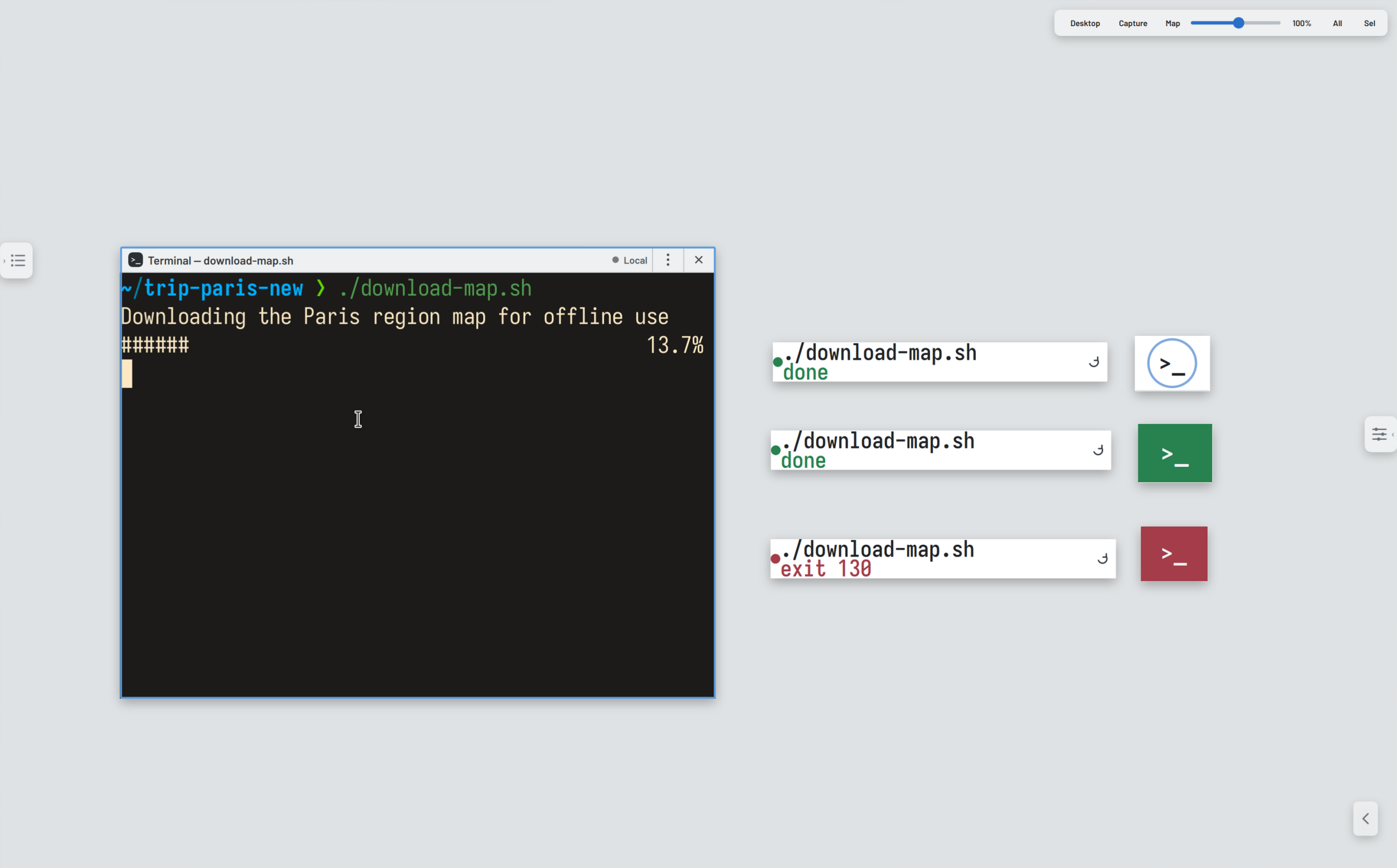
A Terminal can do the same. I can use the full window when I need the output, then keep only a status row or a button while the command runs.
Pulling out a live piece
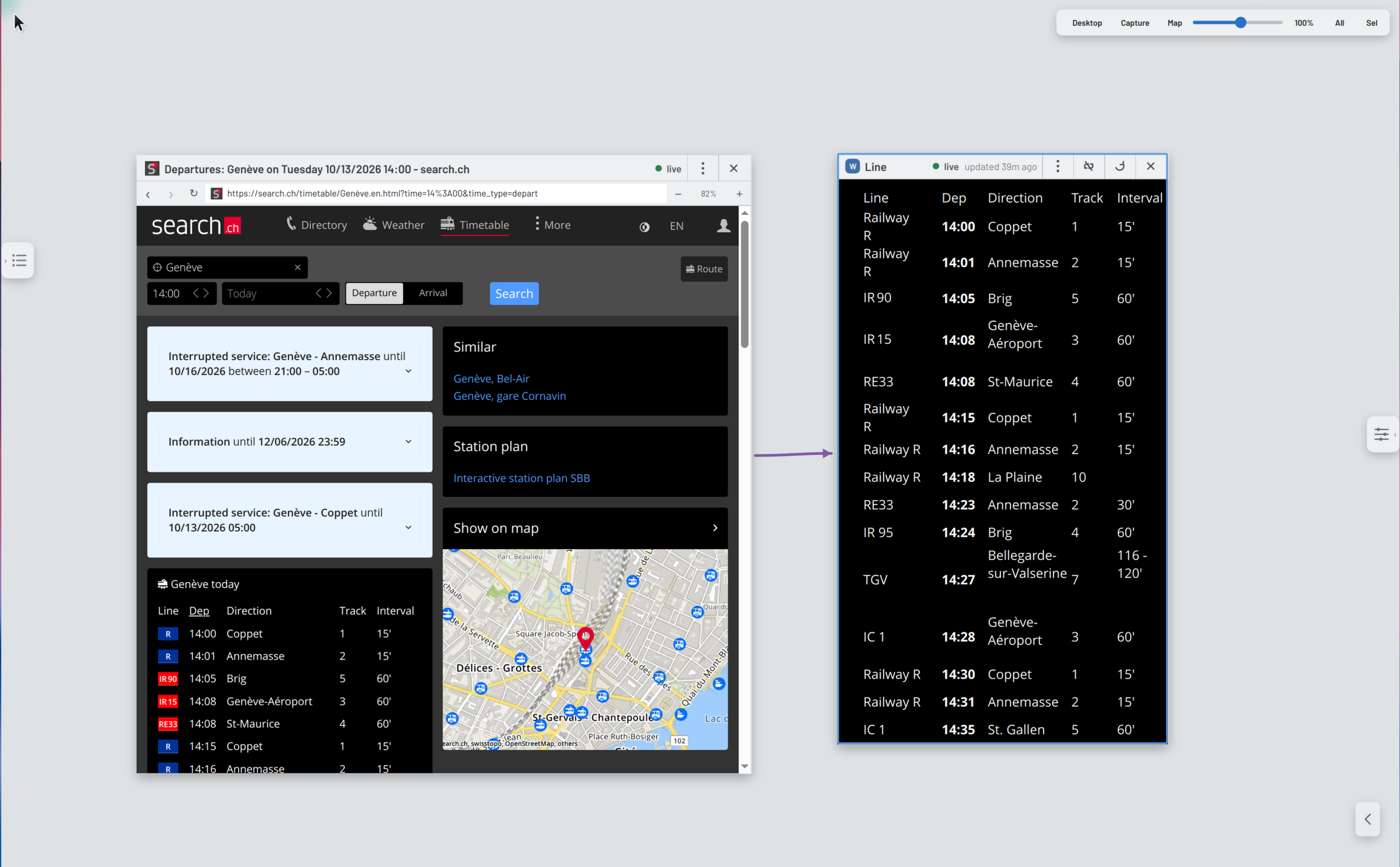
Here I pulled the departure list out of a timetable webpage. It stays tied to the page, so the list on my desktop changes when the timetable does. I can unlink it when I want to keep the current version.
Together: How the desktop organizes the pieces
These pieces also need somewhere to live. Here I am getting ready for a trip to Paris, and everything is open at once: my notes, the train departures, my railcard, a map download in a Terminal, and a video about Paris.
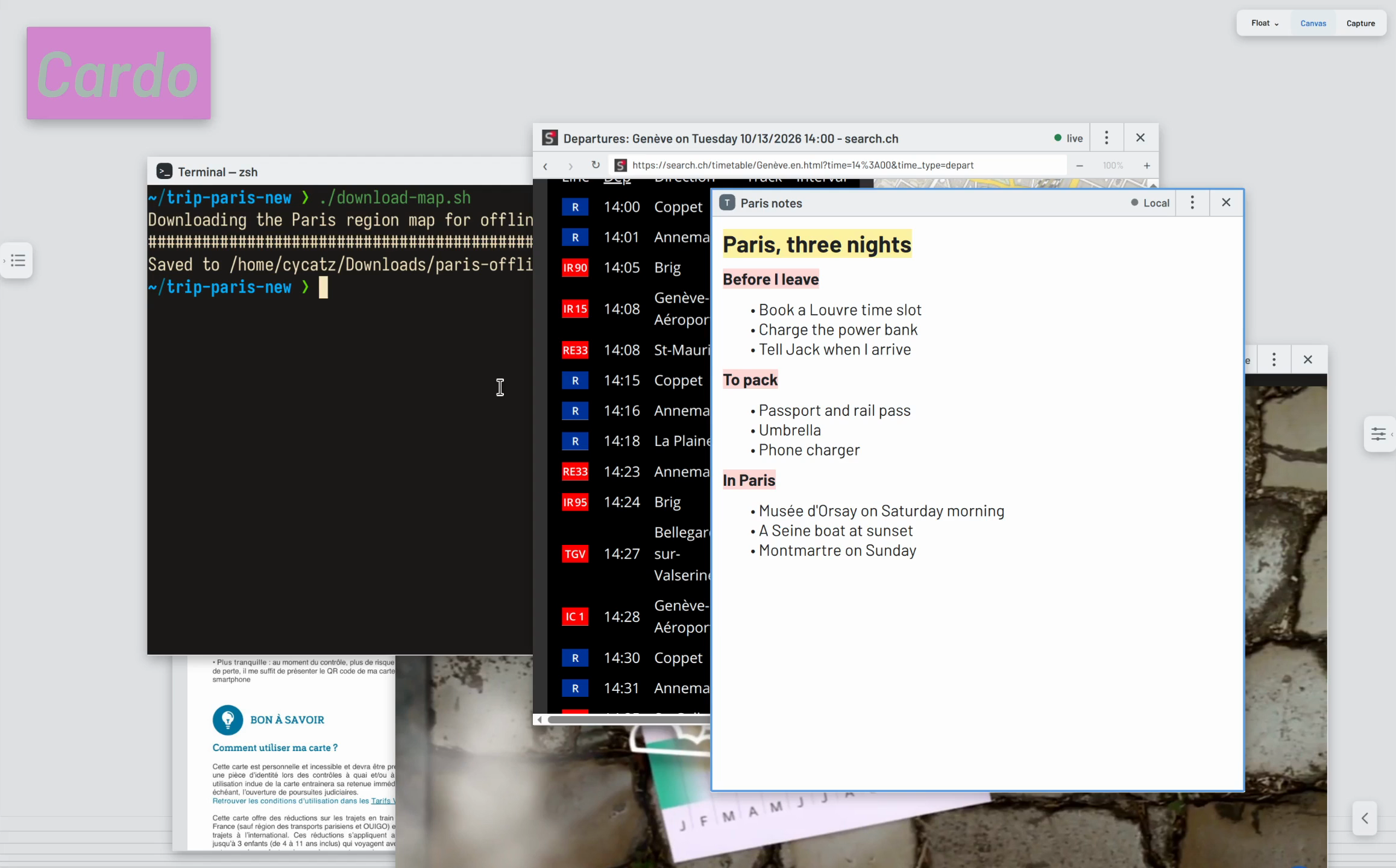
When I need room, I drag the ones I am not using to the bottom edge. My notes and the train departures stay open. The railcard, the download, and the video sit along the edge in small yet usable forms.
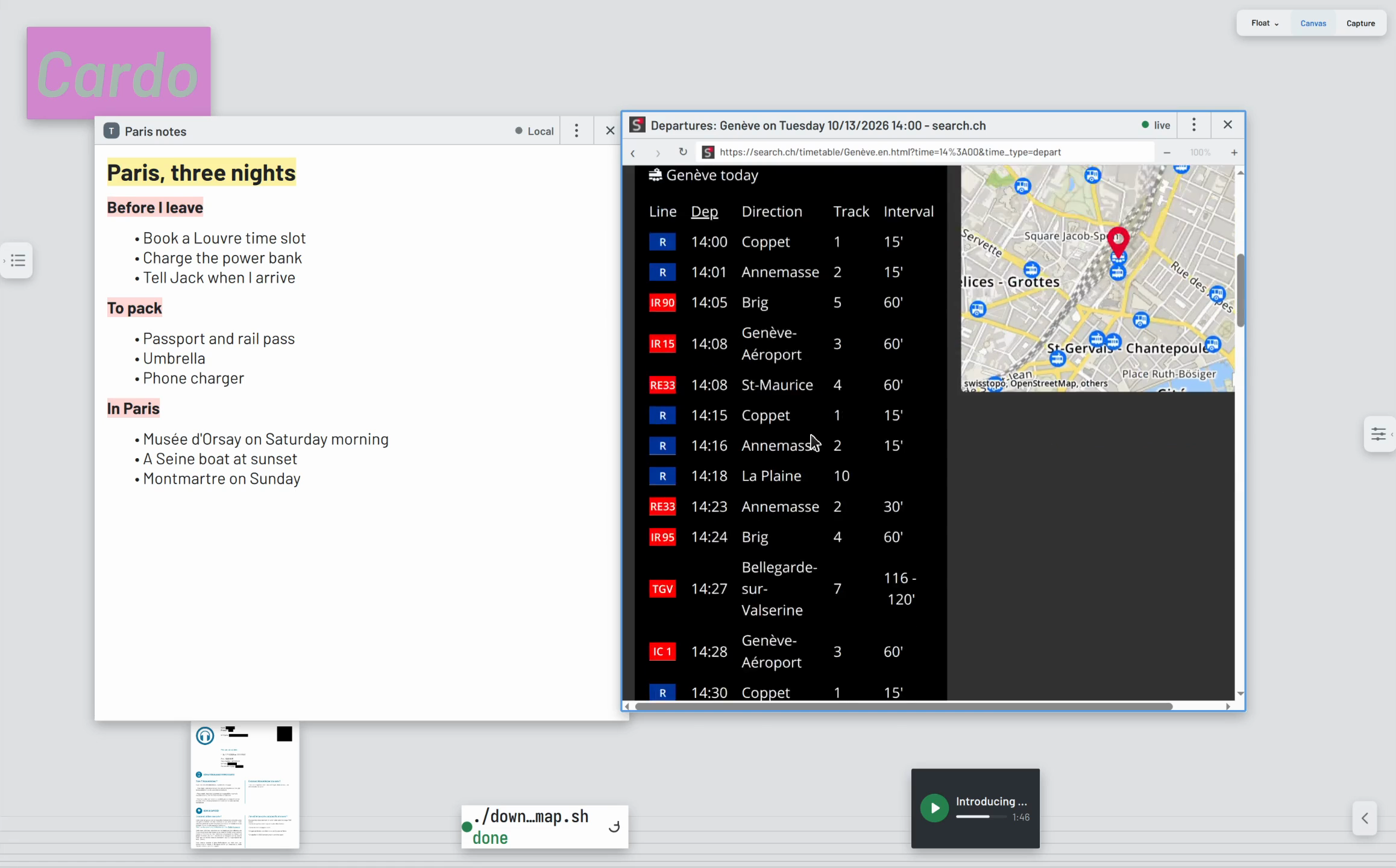
They are still running, so I can pause the video or check the download from the edge, and pull one back up when I want the whole thing again.
When I have to switch to other work, I can save the whole desktop as a context. When I open it again, everything comes back the way I left it, even the pieces I pulled out.
Pieces made by AI
I can also ask the AI to make a piece for me. Here I selected my Paris notes and asked it to turn them into a checklist. The checklist showed up next to the notes, and the dotted line shows the two are connected.
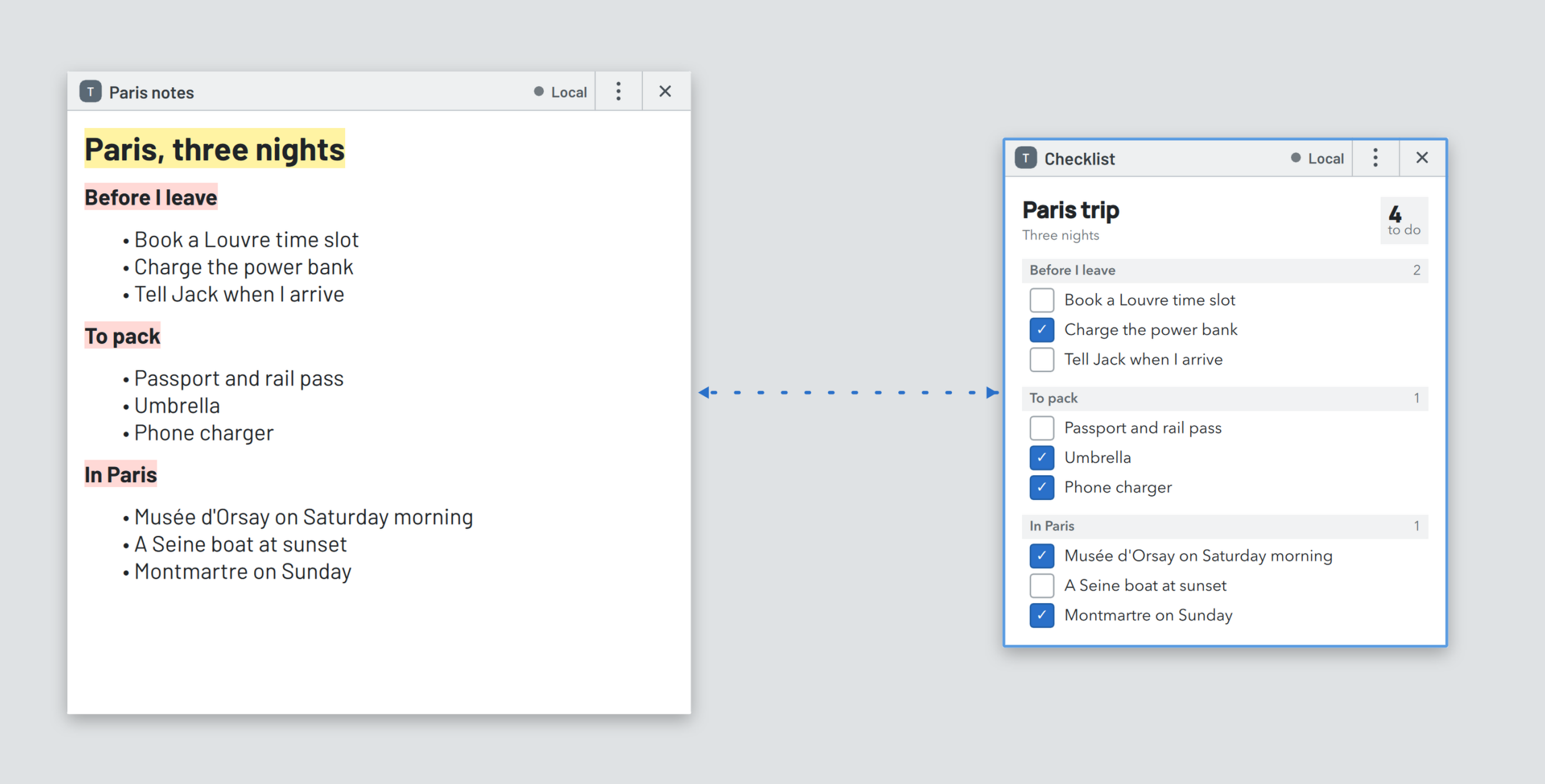
What it made is a piece like the others on the desktop. I can tick items and the count follows, move it around, or pull one item out and keep it on its own.
Where it is now
Cardo currently runs on Linux and is built with Qt. It is a Wayland compositor, so native apps can run inside it. It is not ready to run as a standalone compositor yet, so for now I run it nested inside another one.
It is still experimental and not public yet, but I already use it as my daily driver. I am working hard to make the interactions feel natural and the whole thing more reliable. Will make it public soon!